
Say the number, keep the probe in the mouth
Voice charting listens while you probe. Call out what you find, the way you would to an assistant writing it down, and the chart keeps up with you.

Turn it on, speak, carry on
Nothing to install, nothing to set up, nothing to learn. The first session goes like the hundredth.
- 01
Press the Voice button
It sits above the chart. The first press explains what the microphone does, then your browser asks for permission in its own words.
- 02
Just talk
Numbers, findings, where you want to be. There is no phrasing to get right and no command to remember, and what you say shows on screen before it counts.
- 03
Watch the chart, not the keyboard
Every value lands where you are working and the chart moves on with you. When you stop talking it stops listening, and it lets go of the microphone by itself.
It sounds like dictating to a colleague
Here is a stretch of ordinary charting, and what the chart made of it.
- “three four five”
- Three sites filled in, in the order you were already working through.
- “bleeding”
- Marked on the site you just probed, and you carry on probing.
- “no, six instead of three”
- It hears you change your mind and fixes the value you meant, not the one you are standing on.
- “tooth forty seven”
- Straight to that tooth, wherever you were.
Keeping up
As fast as you can probe
- It writes where you are working.
- The value lands on the site you are on and the chart moves on, exactly as it does when you type.
- You see what it heard.
- The words it picked up show on the panel as you speak, and the value lands a moment after you finish the phrase.
- It keeps up with a full mouth.
- Six sites a tooth, all the way round, at the pace you probe. Nothing to press between values and nothing to wait for.
Spoken values landing as you go, ready for the next one
The site you were talking about, put right
Changing your mind
It follows you when you go back on something
- It knows a correction from a reading.
- "No, six instead of three" has two numbers in it and neither is a measurement. It hears the difference, so you never have to phrase a fix carefully.
- It goes back without losing your place.
- The value changes on the site you were talking about and you carry on from where you are, so a correction costs you nothing.
- Every change shows, and undo takes it back.
- Whatever it writes lands where you are looking, and "undo" or Ctrl Z takes it straight back out, so a misheard value never sits there unnoticed.
At the chair
Built to be read from across the room
- What it heard, in words
- The line along the foot of the panel shows what was picked up, so you can tell a mishearing from a slip of the tongue at a glance.
- The chart, up close
- The panel shows the tooth you are on between its neighbours, drawn the way the chart draws them and large enough to read from the chair.
- Clicks go through it
- It is a panel, not a dialog. Nothing is trapped behind it, and a cell you tap underneath still takes the tap.
three four five bleeding
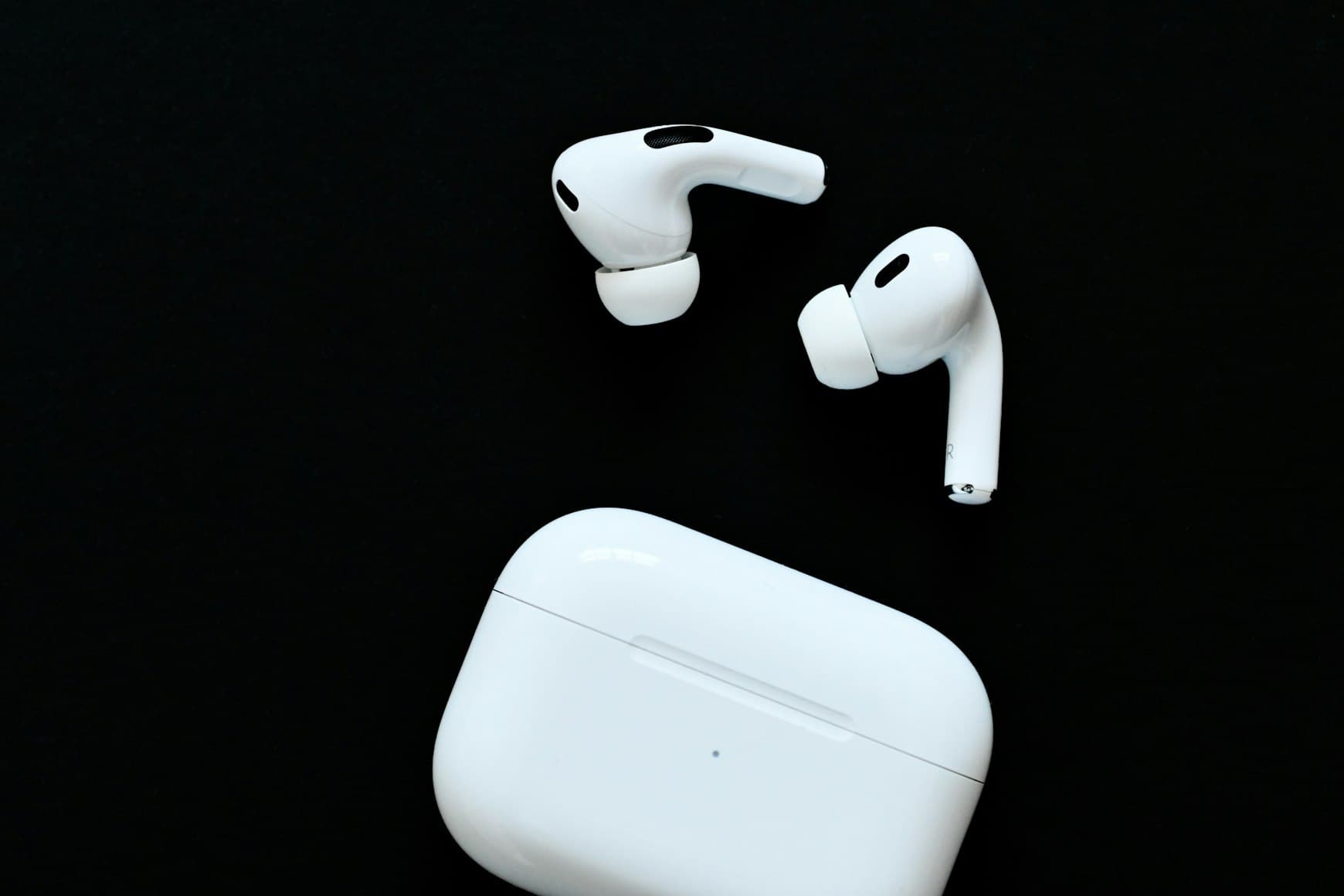
Wear a headset and it hears you, not the room
Voice charting asks your browser for echo cancellation and noise suppression on every session. What that cannot do is move the microphone closer to your mouth, and in a room like this that is the part that matters.
- A few centimetres, not a metre
- AirPods or any wired headset put the microphone by your mouth. A laptop microphone sits an arm's length away.
- The room is louder than it sounds
- Suction, the handpiece and the compressor reach a built-in microphone almost as loudly as you do. Up close, your voice arrives first.
- You choose it outside Zermmi
- Zermmi uses whatever microphone your computer hands it. Pick the headset in your sound settings before you start.
Open this chart on your phone
Scan the code with your phone camera.
The phone in your pocket
Let the phone be the microphone
Your earbuds are already paired to your phone. So open the chart there, speak, and leave the computer showing the chart.
- Nothing new to pair.
- Use your own earbuds. They are already connected to your phone, so there is nothing to set up.
- Scan the code and the chart opens.
- Press the phone button above the chart and a code appears. Point the phone camera at it and the patient chart opens, ready to carry on.
- Speak on the phone, read on the computer.
- Values are saved as you say them, and the computer picks them up when you go back to it. One device at a time.
Keep your hands where the work is
Voice charting is part of a Zermmi subscription. The periodontal chart itself is free to try without one.
See pricingVoice charting questions
- Which languages does voice charting work in?
- English, French and German. In every other language the microphone is not shown, and a session cannot be started in a language we do not support yet.
- Do I need a subscription?
- Yes. Voice charting is part of a Zermmi subscription and runs in a signed in patient chart. The free periodontal chart has no microphone, and nothing on this page describes it.
- Is anything recorded?
- Zermmi keeps no recording and no transcript. While the microphone is on, audio is streamed to our speech provider, which works out what you said and what it means for the chart. It is not used to train their models, and they hold abuse monitoring logs for up to thirty days. The privacy policy names them and has the detail.
- What happens if it mishears me?
- You see it straight away. The words it picked up show on the panel and the value lands on the chart a moment later. If a wrong value lands, say "undo" or correct it out loud and it comes straight back out.
- Can it put a number in the chart that I did not say?
- It writes what it understood you to say, so a misheard word can land as a wrong value. Everything it writes shows on the chart as it lands, and "undo", Ctrl Z or a correction out loud takes it straight back out.
- Does the microphone stay on between patients?
- No. It pauses after a few quiet minutes and ends the session on its own after twenty. The space bar pauses it whenever you want, and saying stop hands the microphone back without reaching for the mouse.
- Does it work on a tablet?
- Yes, in a browser that can reach the microphone over a secure connection, and where it cannot the Voice button is not shown at all rather than failing when you press it. The chart itself is drawn for a wide screen, so on a small one you will be scrolling sideways to read it. Landscape is the smallest way worth working.
- Do I have to say it a particular way?
- No. Say it the way you would to someone writing it down. There is no command list to learn, and a phrase that is not plain dictation is worked out rather than written down wrong.
- Can I run voice on my phone instead of the computer?
- Yes. Press the phone button above the chart on the computer, scan the code it shows, and the phone opens the same chart. Start voice there, with your earbuds already paired to the phone. Values are saved as you speak and the computer picks them up when you go back to it. Work on one device at a time, and keep the computer for reading: the chart is drawn wide, so the phone is a good place to speak and a cramped place to look.