
Free Periodontal Chart Online
Record pocket depths, bleeding, recession, mobility and furcation with auto-advance. No login required, realistic visuals for patient education, and export to printable PDF. The free perio chart built for modern dental practices.
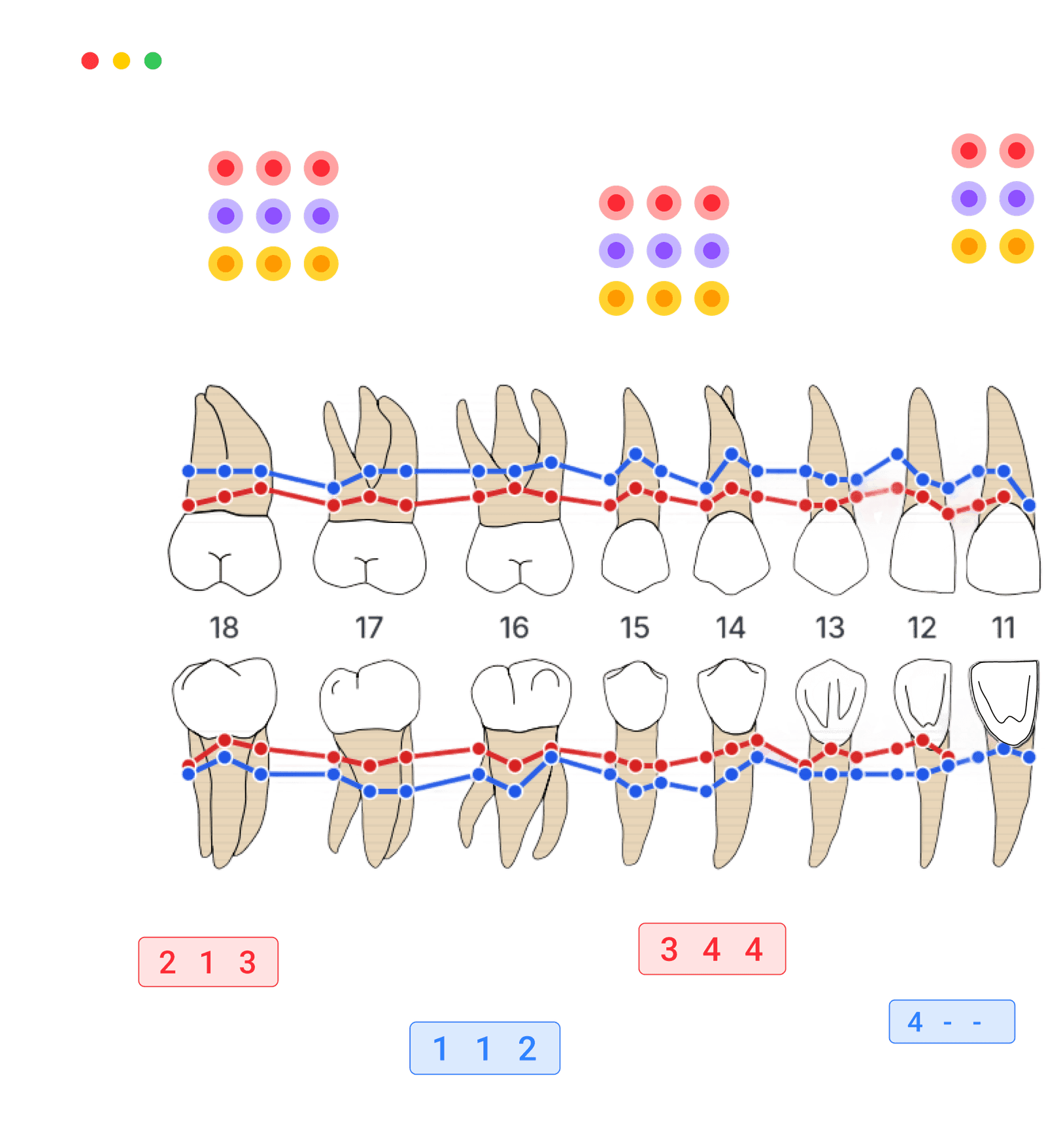
Keep the chart for the next visit.
Save up to five patients free, reopen their charts and compare measurements over time. No card required.
Create a free accountPercentage Trends
Pocket Depth Trends
Deep Sites Trend
CAL Trends
Chart on paper when you need to
A one page perio chart to print and fill in by hand, six sites per tooth. Free, no email address, print as many copies as you like.
Rows for probing depth, bleeding on probing, recession, plaque, mobility and furcation, buccal and lingual, upper and lower arch. FDI and Universal (1-32) tooth numbers on the same sheet.
One page. Prints in black and white.
Prefer to chart on screen?
The online chart adds up the numbers for you: bleeding and plaque percentages, mean and deepest pocket depth, the share of sites at 4 mm or more, and a finished PDF to print or send.
Chart online freeAdvanced Periodontal Documentation
Complete Periodontal Charting Solution
Comprehensive periodontal documentation system with precision measurement tracking, automated analysis, and professional export capabilities for complete clinical workflow integration.
- Precision Charting
Document all periodontal measurements with clinical precision. Track pocket depths, bleeding points, mobility, furcations, and recession with automated data validation and historical comparison.
- Export Flexibility
Export charts in multiple professional formats: PDFs for referrals, images for presentations, interactive versions for patient education, with secure public link generation for controlled sharing.
- Online & Free
Open it in your browser. No downloads, no paywalls, no registration required. Perfect for chairside use, outreach, or student training. Accessible anywhere with an internet connection.
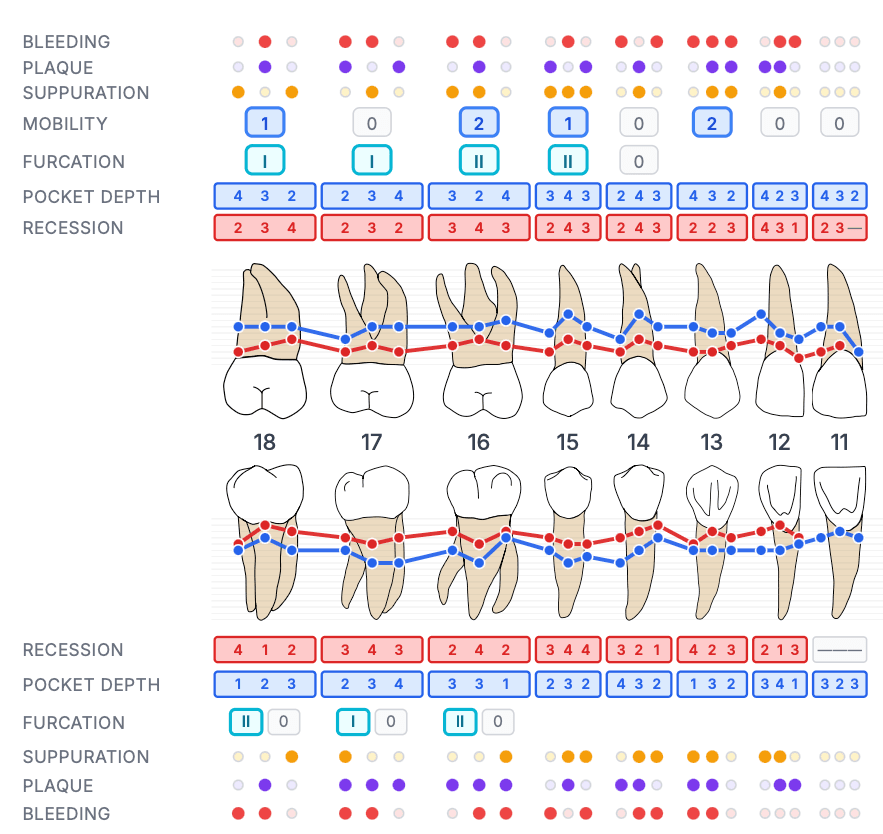
Realistic design for clear conversations
Show patients what's happening. The realistic view makes pockets, bleeding, and plaque easy to explain.
Chart faster with auto-advance
Enter probing depths and the cursor moves to the next site automatically. Less clicking, more clinical focus.
Instant Summary
Real-time calculation of key periodontal metrics
Bleeding
Plaque
Suppuration
Pocket Depth
Sites >4mm
Deepest Pocket
Calculations update automatically as you chart
Instant summary
Get statistics in seconds: pocket depth, BOP score, plaque score, and more. Use it for notes, referrals, and patient follow-up.
Your practice identity
Add your practice logo, contact information, and switch between languages instantly. Present a professional image that builds patient confidence and trust.
Unlock Powerful Periodontal Tracking
With Zermmi CRM, save every periochart, track patient progress over time, and make data-driven treatment decisions.
Patient-Linked Storage
Save Every Chart Per Patient
Store unlimited periocharts linked to each patient's record. Access complete periodontal history instantly, with practitioner attribution and appointment linkage.
Summary
Bleeding on Probing
15%
Plaque
8%
Suppuration
2%
Mean Depth
2.4mm
Sites ≥4mm
12%
Deepest
6mm
Track Progress Over Time
Analytics & Progression Charts
Visualize bleeding scores, pocket depths, and attachment levels across visits. Identify trends, measure treatment success, and share progress with patients.
Percentage Trends
Pocket Depth Trends
Deep Sites Trend
CAL Trends

Start Periodontal Charting Now
Start charting immediately — free, online, no registration required. Just open and start measuring.
Start Charting FreePeriodontal Charting Glossary
- Probing pocket depth (PPD)
- Distance in millimeters from the gingival margin to the base of the pocket. Recorded at six sites per tooth and used to grade periodontal disease severity.
- Bleeding on probing (BOP)
- Whether a site bleeds within about 30 seconds of gentle probing. The site-level BOP percentage is one of the most reliable indicators of active periodontal inflammation.
- Clinical attachment level (CAL)
- Distance from the cemento-enamel junction to the base of the pocket. Calculated as probing depth plus recession; tracks true periodontal support over time.
- Gingival recession
- Apical migration of the gingival margin away from the cemento-enamel junction, exposing root surface. Recorded in millimeters per site.
- Tooth mobility
- Looseness of a tooth in its socket, graded 0 to 3 (Miller). Increased mobility can indicate loss of supporting bone or occlusal trauma.
- Furcation involvement
- Bone loss between the roots of multi-rooted teeth, graded I to III (Glickman) by horizontal probe penetration.
Frequently Asked Questions
Have a different question and can't find the answer you're looking for? Reach out to our support team by sending us an email and we'll get back to you as soon as we can.
- Is it really free?
- Yes. The periochart on this page is completely free and unlimited — no ads, no hidden costs, no account and nothing to install, and nothing you enter here is saved or sold unless you ask us to send it somewhere. If you want to keep your charts, a free account stores up to 5 patients permanently, with unlimited charts each, progression over time and PDF export, and no card is required.
- Do I need to install anything?
- No installation required - it runs directly in your browser. All modern browsers are supported. This means automatic updates, works on any device (desktop, tablet, mobile), and no storage space needed on your computer.
- Which languages?
- Available in 10 languages: English, French, German, Spanish, Italian, Portuguese, Japanese, Korean, Thai and Traditional Chinese. You can switch languages instantly for your team and your patients.
- Can I save patient data?
- Nothing is kept on this page unless you ask for it — the free tool runs entirely in your browser. You can export a chart as JSON and load it back later; you can also share one with a colleague or have us email you a link to it, and either of those uploads that single chart and nothing else. With a free account you keep up to 5 patients permanently, with unlimited charts each, progression over time and PDF export, and no card is required.
- Is my data secure?
- Charting and PDF/JSON exports run in your browser. Sharing a chart or requesting an email link uploads that chart. Choosing to save it through signup uploads a private draft, available for 7 days; after you sign in, it is saved to your account. Reloading or closing the original tab clears work that has not been saved or exported.
- Where can I learn shortcuts?
- Learn to use the periochart efficiently through multiple resources: watch our 90-second YouTube demo for a quick overview, access the built-in Help section directly in the periochart tool for shortcuts and tips, or explore the interface - it's designed to be intuitive.
- Can I print the periodontal chart or export to PDF?
- Yes — every chart can be exported as a printable PDF directly from the browser. Use it as a free printable periodontal chart template for chairside reference, patient handouts, or referrals. The PDF includes pocket depths, bleeding on probing, recession, mobility, furcation, and the full statistics summary, and prints cleanly on standard letter or A4 paper.
- Is there a blank printable perio charting form I can download?
- Yes. The blank periodontal charting form is a free PDF, in A4 and US Letter. It is a one page grid with six sites per tooth and rows for probing depth, bleeding on probing, recession, plaque, mobility and furcation on both arches, with FDI and Universal numbers printed together. No email address is needed and you can print as many copies as you like. If you would rather not add up scores by hand, the online chart calculates bleeding, plaque and pocket depth statistics as you type and exports a finished PDF.