
Help your patients see their future smile
Turn a single photo into a whitening or straightening preview and walk through it with the patient. Seeing the outcome, instead of imagining it, is what turns a treatment plan into a yes.
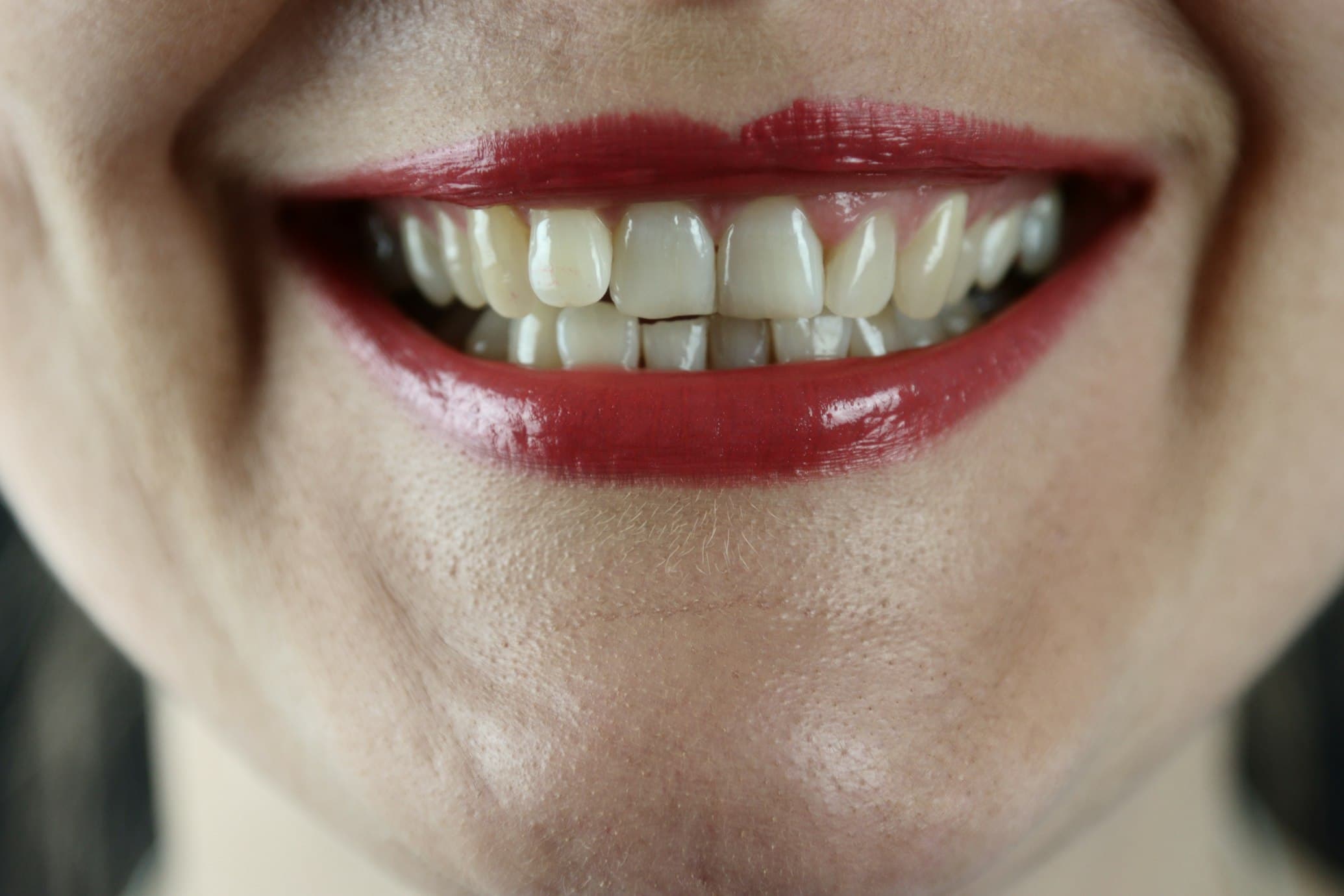
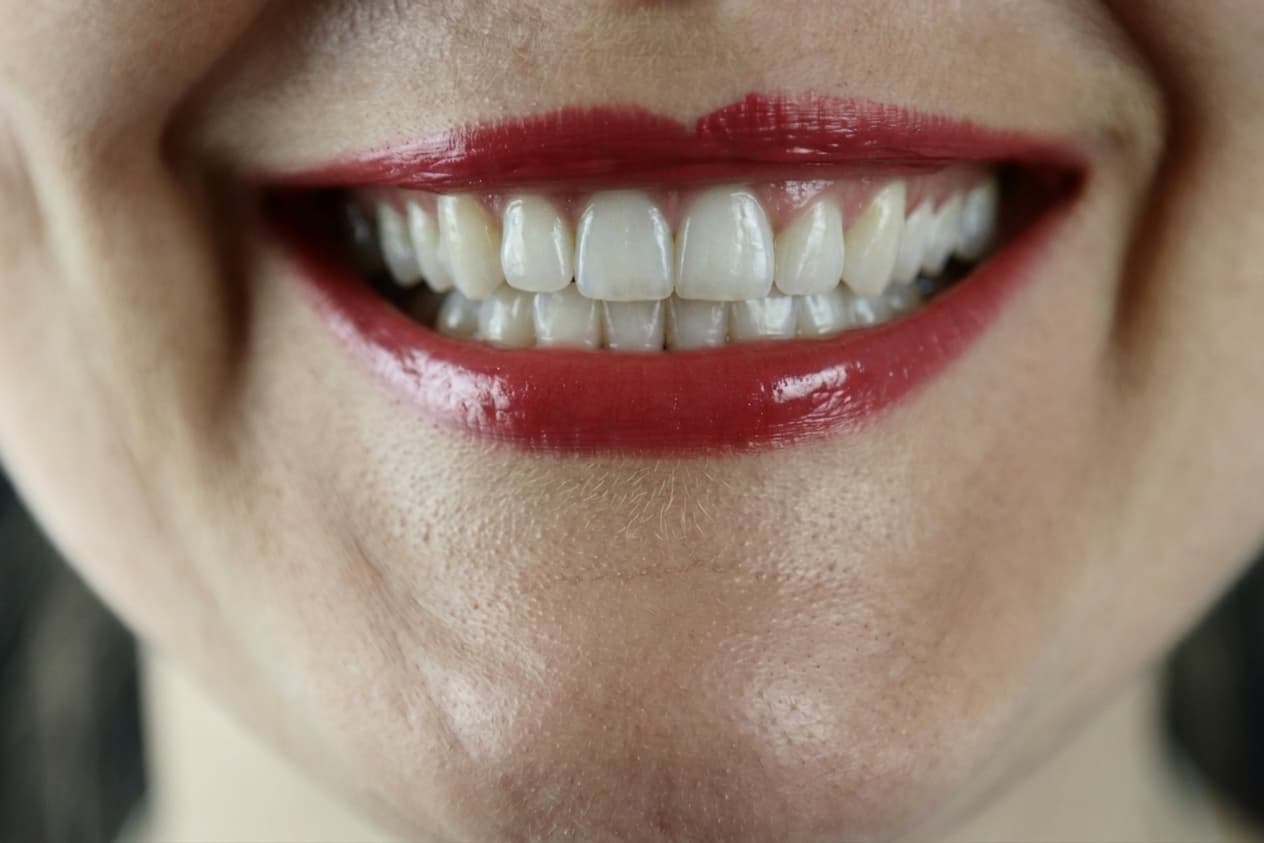
Illustrative preview. Actual clinical outcomes will vary.
Patients trust what they can see
Treatment Simulation rests on a simple premise: patients decide with their eyes. When researchers surveyed 552 dental patients about photography, the same pattern kept coming up.
Visuals like before-and-after images can build trust in dentists and encourage patients to accept treatments.
- 70%+
- of patients said that seeing their own before-and-after would increase their trust in, and satisfaction with, their dentist
- 75–85%
- said that seeing a dentist’s previous cases encouraged them to choose that dentist (75% of men, 85% of women)
- 58%
- wanted photographs that show the difference and the progress of the treatment, rather than clinical close-ups alone
- 29–43%
- had already visited a dentist after seeing photographs of previous cases (29% of men, 43% of women)
Cross-sectional survey of 552 patients. It measured attitudes to photographs of real, completed treatment shared by dentists, not to simulated previews, and being cross-sectional it shows associations rather than cause and effect. Alqabbani et al., BMC Oral Health, 2025 (n = 552)
- Set patient expectations
Show a realistic preview before any treatment begins, so patients understand what changes are achievable and align with you on the goal.
- Improve case acceptance
When the outcome is something the patient can see rather than picture in their head, the decision gets easier, and more of them go ahead with the treatment.
- Works from a single photo
Capture a smile photo on any phone or tablet, generate a whitening or straightening preview in seconds, and share it on screen during the consultation.
Three steps from photo to consultation
No new hardware, no plugin to install. Open the patient record, take a photo, and walk through the preview together.
- 01
Capture a smile photo
Use your phone, tablet, or intraoral camera. A clear front-on photo of the patient's smile is all you need.
- 02
Pick whitening or straightening
Choose the simulation that fits the conversation. Each preview keeps the patient's smile recognizable while showing the change.
- 03
Share it at the chair
Drag the slider between before and after on screen with the patient. Discuss the plan with a visual reference, then save the preview to the patient record.
From photo to smile preview in seconds
Watch how a single patient photo becomes a whitening or straightening preview you can show at the chair.

Start helping patients see their future smile
Treatment Simulation is included with your Zermmi practice account. Open the app and try it on a real photo in under a minute.
Open Treatment SimulationFrequently asked questions
Have a clinical question or want a guided demo? hello@zermmi.com We're happy to help.
- Is the simulation a clinical guarantee of the outcome?
- No. Treatment Simulation is an illustrative preview to support patient communication. Actual clinical outcomes depend on the patient's anatomy, the chosen treatment, and clinical judgment. The preview always carries a disclaimer for that reason.
- What kind of photo do I need?
- A clear, well-lit, front-on photo of the patient's smile, taken on a phone, tablet, or intraoral camera. The closer the framing and the better the lighting, the more useful the preview.
- Which treatments does the simulation cover?
- Today the preview covers whitening and minor straightening. Whitening brightens visible teeth while preserving texture; straightening aligns teeth and closes minor gaps without changing color.
- Where does the patient photo go after I generate a preview?
- The original photo and generated preview are stored against the patient record in your Zermmi account. You stay in control of the patient's data.
- Do I need any extra hardware?
- No. Treatment Simulation runs in the same Zermmi app you already use for charting and patient management. Any modern phone, tablet, or computer with a camera works.
- Can I use Treatment Simulation alongside Periochart?
- Yes. Periochart and Treatment Simulation share the same patient record, so the periodontal chart, photos, and treatment previews all live together.